Export Anything: SVG, PNG, and Print-Ready PDF from One Dialog
There's a moment in every generative piece where the browser stops being enough. The composition is done, the palette has settled, and now you want the thing itself — a file you can send, post, composite, or carry to a print shop. Today we're shipping the workflow for that moment: a single Export dialog that takes any workspace to SVG, PNG, or print-ready PDF.
Open it from the workspace's overflow menu (⋮ → Export) or press Ctrl/Cmd+Shift+E. Everything about the dialog follows one rule: the preview is the file. What you see — the artwork, the optional legend, the small attribution line — is exactly what lands on disk.
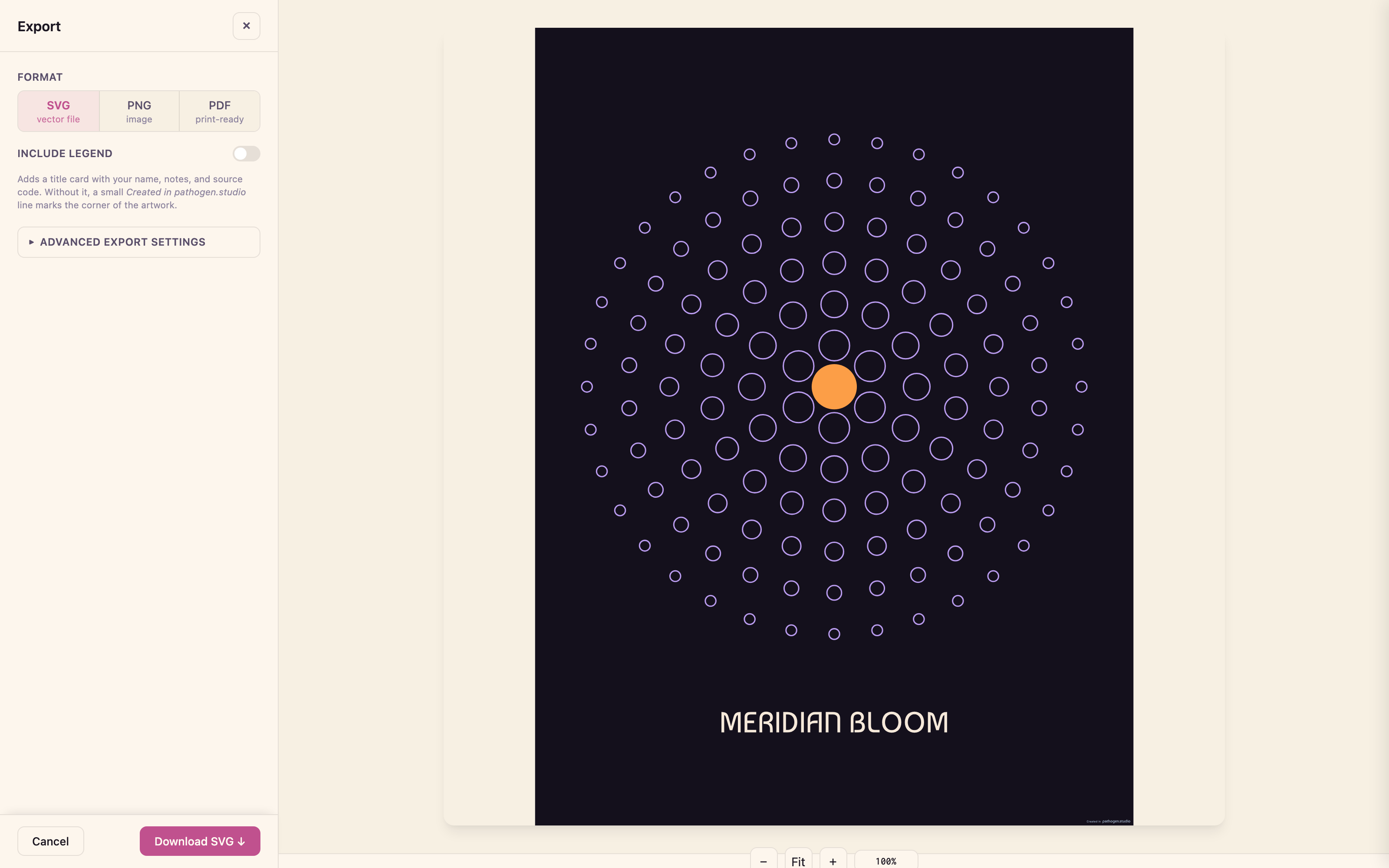
Three formats
The first decision is the format, and it's the first control in the dialog:
- SVG — vector file. Fully self-contained: the fonts used by the legend and attribution line are embedded as data URIs, so the file renders identically offline, in any browser, with no substitutions. This is the format for the web, for further editing, and for re-import into design tools.
- PNG — image. Pixels at the resolution you choose. Scale presets render at 1×, 2×, or 4× of your
ViewBoxunits, or type a custom pixel width and the height follows your aspect ratio. A summary line shows the computed dimensions before you commit — "Artwork 900 × 1200 units — exports at 1,800 × 2,400 px". There's also a transparent background option that omits the workspace background color entirely, for compositing your linework over other designs. - PDF — print-ready. Real page sizes, margins, bleed and crop marks, and a guarantee we'll come back to below: the file that comes out of this dialog prints correctly at any print shop.
The legend
Flip on Include legend and the export gains a caption card: title, creator, date, description, and the full Pathogen source that produced the artwork. Drag it anywhere over the piece; drag its corner to resize; enable Snap for grid-aligned placement.
The source listing is syntax highlighted by default. The legend card uses Pathogen's print palette — the same token colors you see across pathogen.studio, tuned for the card's white background — and the colors are baked into the file as literal fills. That detail matters more than it sounds: it means the highlighted code survives every format identically. In the SVG it's colored text, in the PNG it's colored pixels, and in the PDF it's colored vector outlines — the same keywords in the same purple, whether you're zooming a browser or holding a poster.
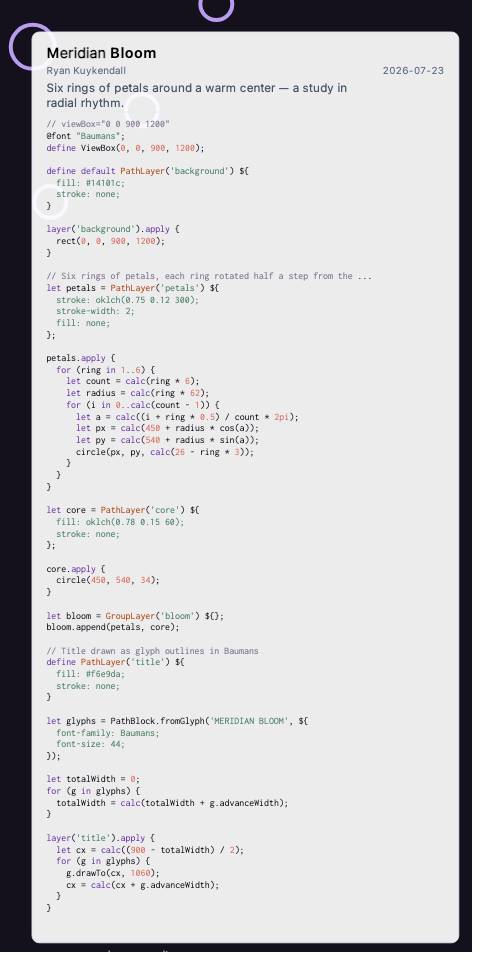
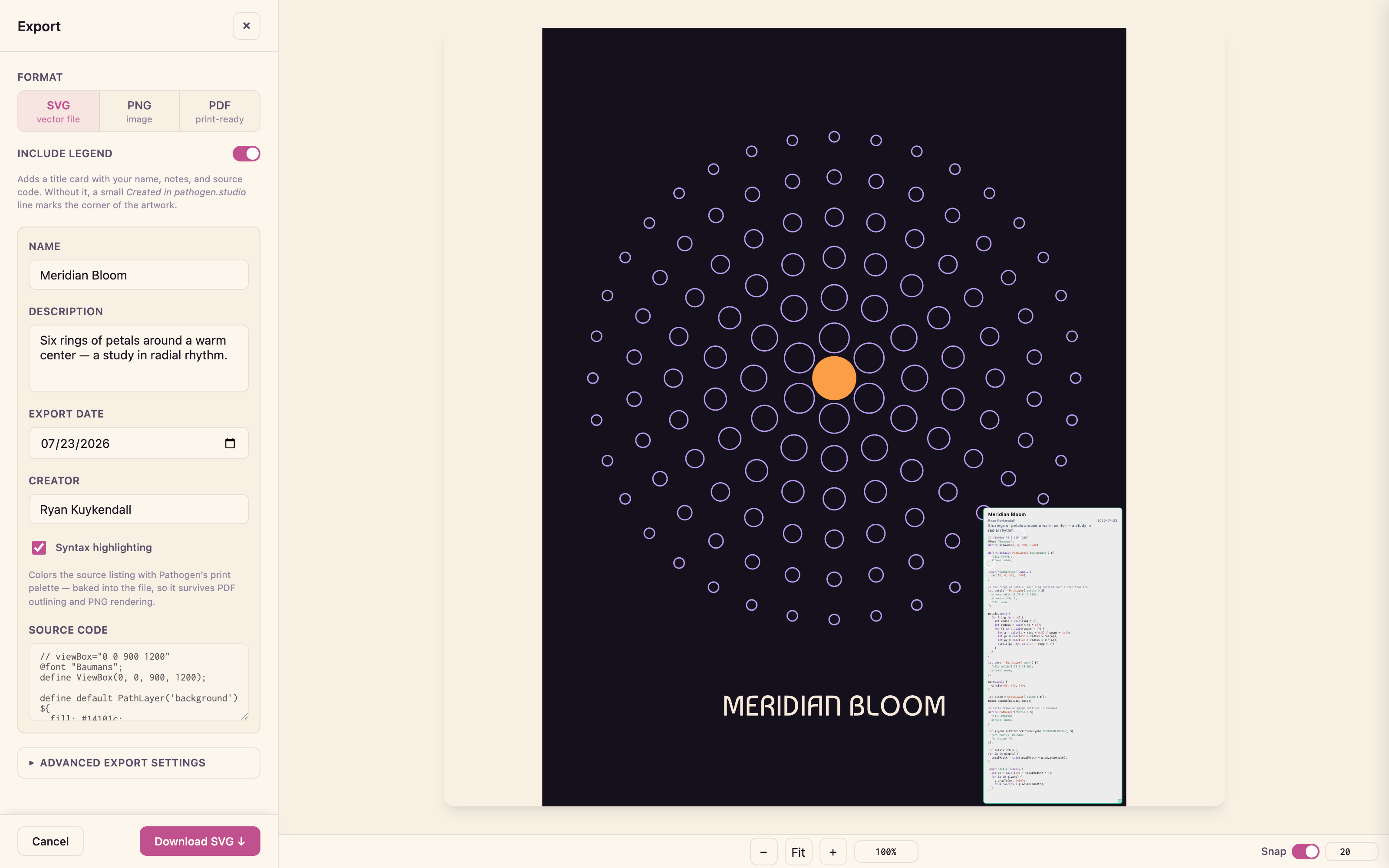
A legend turns an export into an artifact that explains itself. The piece and the program that made it travel together — pin it to a wall and the source is right there, readable, in color.
A quiet signature
Every export carries a small Created in pathogen.studio line. With the legend on, it's the card's footer. With the legend off, it sits in the artwork's bottom-right corner — a mid-slate chosen to sit on the artwork without competing with it. It appears in the live preview, so its placement is never a surprise, and like everything else it's real vector: in the PDF, the wordmark is outlined glyphs, not a font reference.
Sized for the print counter
The PDF format is where the dialog earns the word print-ready, because it solves the problem that silently ruins most SVG-to-print pipelines: fonts. An SVG names its fonts; a print shop's software resolves those names against whatever it has installed, and substitutes without asking. So before the PDF is generated, every piece of text — artwork, legend, attribution — is converted to vector outlines. The file contains no font references at all. There is nothing to substitute. Zoom to 6400% and the letterforms are curves.
Around that guarantee is a full print workflow:
- Page sizing three ways. Match artwork (type the printed width — say 24 in — and height follows your
ViewBoxratio; the artwork prints at exactly that size), standard presets (US poster sizes, Letter, Tabloid, ISO A4–A0, portrait or landscape), or a fully custom page. One units selector — inches or centimeters — applies everywhere, and a live summary spells out what will print. - Bleed and crop marks with one checkbox: the background extends 0.125 in / 3 mm past the trim line and hairline marks show the cutter where to cut. Leave it on for edge-to-edge posters.
- A cover sheet option adds a job-ticket first page — fast raster preview, a spec manifest, and handling notes for the print counter — which also makes heavy files preview instantly in Finder and Acrobat.
- Vector or raster artwork. Simple pieces stay exact vector geometry. Dense generative work — hundreds of thousands of segments — defaults to a 300 DPI raster that previews and prints reliably, while the legend and every piece of text stay vector either way. A Precision control trims coordinate decimals, and a Detail control culls segments smaller than a printed dot — smaller, faster files with no visible change.
The full details — sizing modes, margins, the cover sheet, what stays vector — are in the export documentation.
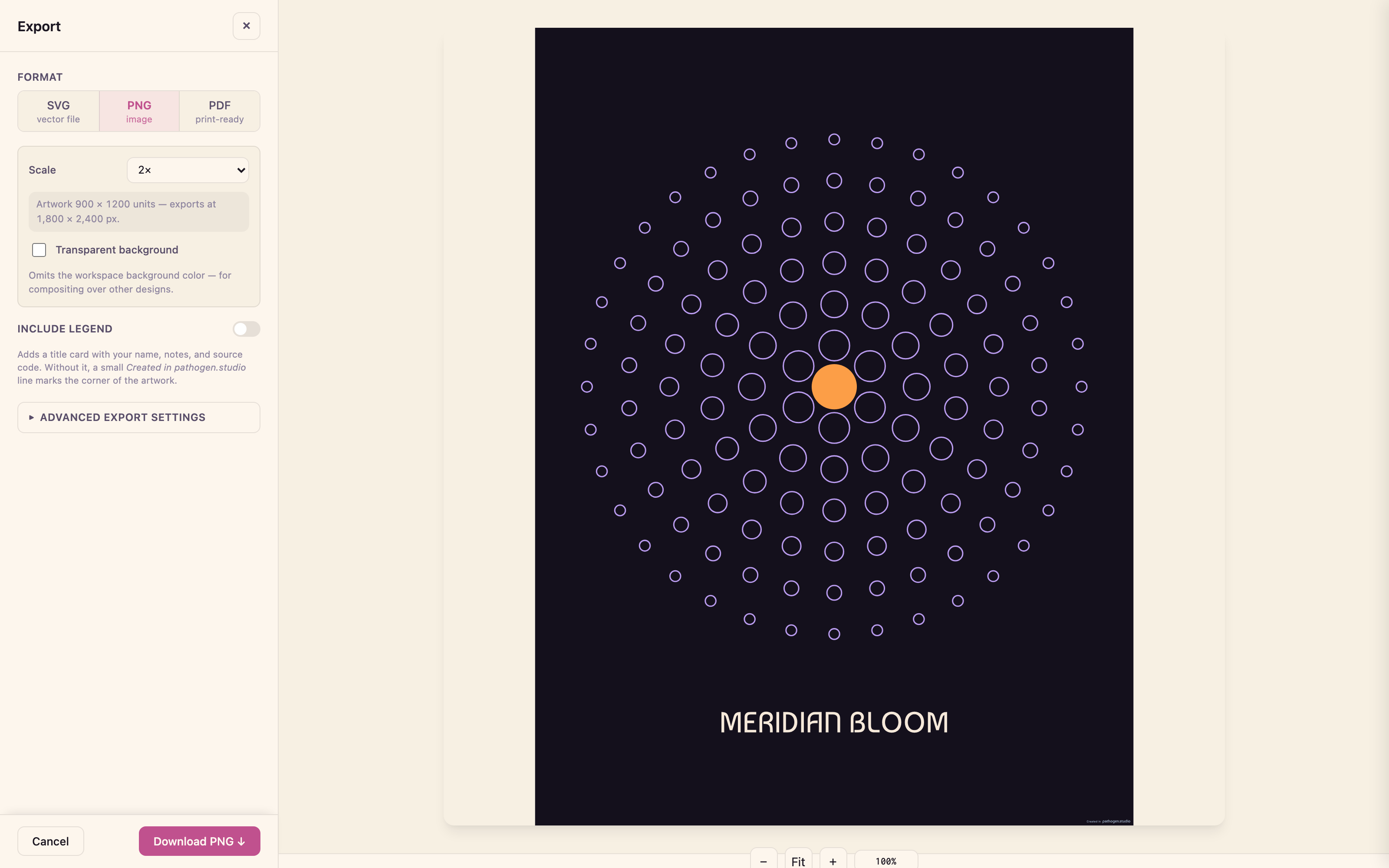
Try it
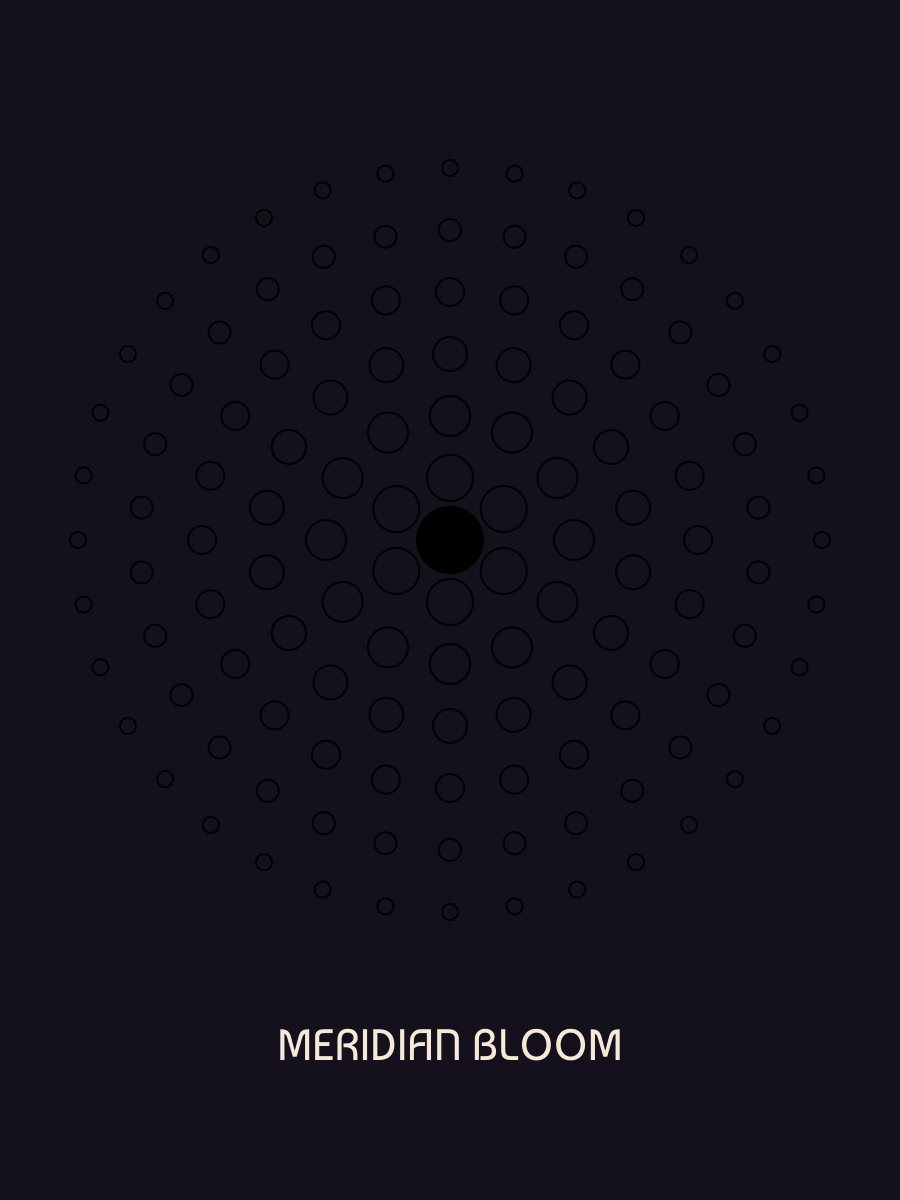
The piece in the screenshots is below — open the source, riff on the rings, then take it to the Export dialog and watch the legend set its own title.
@font "../../../../fonts/Baumans/Baumans-Regular.ttf";
define ViewBox(0, 0, 900, 1200);

define default PathLayer('background') #{
  fill: #14101c;
  stroke: none;
}

layer('background').apply {
  rect(0, 0, 900, 1200);
}

// Six rings of petals, each ring rotated half a step from the last
let petals = PathLayer('petals') #{
  stroke: oklch(0.75 0.12 300);
  stroke-width: 2;
  fill: none;
};

petals.apply {
  for (ring in 1..6) {
    let count = calc(ring * 6);
    let radius = calc(ring * 62);
    for (i in 0..calc(count - 1)) {
      let a = calc((i + ring * 0.5) / count * 2pi);
      let px = calc(450 + radius * cos(a));
      let py = calc(540 + radius * sin(a));
      circle(px, py, calc(26 - ring * 3));
    }
  }
}

let core = PathLayer('core') #{
  fill: oklch(0.78 0.15 60);
  stroke: none;
};

core.apply {
  circle(450, 540, 34);
}

let bloom = GroupLayer('bloom') #{};
bloom.append(petals, core);

// Title drawn as glyph outlines in Baumans
define PathLayer('title') #{
  fill: #f6e9da;
  stroke: none;
}

let glyphs = PathBlock.fromGlyph('MERIDIAN BLOOM', #{
  font-family: Baumans-Regular;
  font-size: 44;
});

let totalWidth = 0;
for (g in glyphs) {
  totalWidth = calc(totalWidth + g.advanceWidth);
}

layer('title').apply {
  let cx = calc((900 - totalWidth) / 2);
  for (g in glyphs) {
    g.drawTo(cx, 1060);
    cx = calc(cx + g.advanceWidth);
  }
}
Export lives in every workspace today at pathogen.studio. Make something, then take it with you.